

Yes, dedicated basketball play calling apps exist and are ready for coaches at every level. Start with a full play-design platform like Elite Hoops or The Hoops Geek, add a lightweight option like CoachCanvas for quick sharing, and pair any of them with Hoop Mentality templates to speed up your playbook setup.
Your fastest path forward:
- Full playbook platforms: Elite Hoops, The Hoops Geek, FastBreak PlayBook, FastModel Sports
- Lightweight play creators: CoachCanvas, Basketball Trainer, GameCoach
- Practice-planner-integrated tools: Elite Hoops (drill library + live timers), The Hoops Geek (substitution editor)
- Ready-made templates: Hoop Mentality starter packs and practice plan templates
Start with a free tier on any play-creator app, draw your five most-used sets, and attach a Hoop Mentality practice plan template to run your first digital session.
Table of Contents
- What features do basketball play calling apps actually provide?
- How do a few top play-design platforms compare?
- How do you pick the right play-calling app for your team?
- What do pricing and platform availability typically look like?
- How do you use play-calling apps in practice and deliver plays to players?
- Five-step rollout checklist for adopting a play-calling app
- Hoop Mentality resources work alongside your play-calling app
- Key Takeaways
- The part most coaches skip
- Where to find and test the tools mentioned
- FAQ
What features do basketball play calling apps actually provide?
Modern play-design software covers four core capabilities: drag-and-drop play drawing, automatic animation, centralized playbook storage with tags, and practice planning that connects plays to timed drill slots. Those four features appear across virtually every platform worth considering.
Beyond the core, platforms split on advanced tools:
- Video and voice-memo attachments — so a play carries its own coaching cue
Platform support varies. Desktop editors tend to offer the most drawing precision, with full symbol libraries, layer controls, and undo history. Mobile apps prioritize speed: a simplified UI for courtside adjustments and a player-facing view for quick reference. The best tools give you both without forcing you to rebuild plays when you switch devices.
How do a few top play-design platforms compare?

| Dimension | Full Playbook Platform | Lightweight Play Creator | Practice-Planning-Centric Tool |
|---|---|---|---|
| Draw & edit features | Full symbol library, layers, undo | Drag-and-drop, core symbols | Drag-and-drop, linked to drill library |
| Animation / playback | Automatic frame-by-frame animation | Auto-animation on draw | Auto-animation, whiteboard walkthroughs |
| Pre-drawn play library | Hundreds of editable plays | Limited starter plays | Drill library; plays built from scratch |
| Playbook management | Tags, folders, multi-playbook | Single playbook, share link | Organized by practice session |
| Practice planning | Integrated with timed slots | Basic or none | Core feature with live drill timers |
| Platform support | Web, iOS, Android | Web, iOS, Android | iOS, Android, web |
| Pricing & trial | Free tier or trial available | Free tier available | Free tier available |
| Export / ownership | PDF, video, player app | PDF, shareable link | PDF, exportable plans |
Full playbook platform: FastBreak PlayBook or FastModel Sports
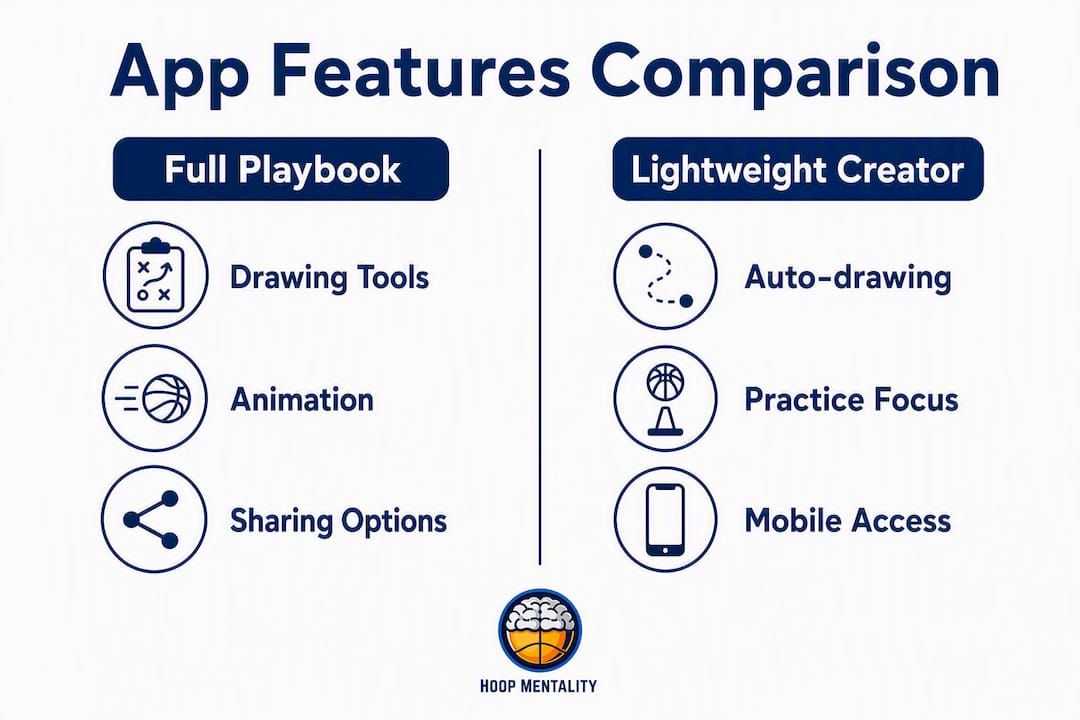
FastBreak PlayBook and FastModel Sports target programs that need a complete coaching suite. FastModel’s FastDraw is the industry standard for play diagramming at the college and professional level, with hundreds of pre-drawn plays and import compatibility with legacy libraries. FastBreak PlayBook adds staff communication tools and player delivery in one package. The limitation: both carry a learning curve and a price point that may not fit a youth or high school budget.
Lightweight play creator: The Hoops Geek
The Hoops Geek draws plays automatically as you drag players and actions onto the court. No manual animation steps. Share with your team in one click. It also includes a substitution editor, which is rare at this price tier. The trade-off is a thinner pre-drawn library compared to FastModel, so coaches who want a large starter collection will need to build from scratch.
Practice-planning-centric tool: Elite Hoops
Elite Hoops is used by over 14,000 coaches, from Division I programs to AAU and youth leagues. Its play designer connects directly to a drill library and practice planner with live timers. You can record a whiteboard walkthrough with your own audio commentary and attach it to a play. The mobile app is strong enough for courtside use. Where it trades off is the pre-drawn play count, which is smaller than FastModel’s catalog.
Quick pros/cons coaches feel in practice:
- Auto-animation cuts the “let me show you again” cycle during walkthroughs
- Player-facing apps improve pre-practice preparation when players review plays the night before
- Thin mobile UIs on some platforms create friction during games
- Staff collaboration features vary widely; confirm role-based editing before committing
- Large pre-drawn libraries speed setup but can create clutter without a tagging system
How do you pick the right play-calling app for your team?
Run through this checklist before you commit to any platform:
- Program size and staff. A solo youth coach needs a simple, affordable tool. A college staff needs multi-user editing and role permissions.
- Device availability. If your players use phones only, confirm the player-facing app works on Android and iOS without a login requirement.
- Bench vs. office use. Courtside coaching needs a fast, simplified mobile UI. Office planning benefits from a full desktop editor with layers and undo.
- Animation vs. static diagrams. Teaching reads, timing, and spacing? Prioritize auto-animation. Printing a PDF playbook for a walk-through? Static export is enough.
- Video integration. If you attach film to plays, confirm the platform supports video uploads or links, not just image attachments.
- Rotation and substitution tools. If managing minutes is a priority, check whether the platform includes a rotation maker or substitution editor.
- Migration readiness. Moving from a legacy tool? Confirm import compatibility (FastDraw libraries, for example) before you rebuild everything manually.
Questions to ask during a free trial:
- Can players access plays without creating an account?
- What export formats are available, and do they include PDF and video?
- How do you back up the full library if you cancel?
Red flags to avoid:
- No export option or a closed ecosystem that locks your plays inside the platform
- A mobile UI that requires too many taps to pull up a play during a timeout
- Missing undo or layer functions in the drawing editor
- A pre-drawn library so thin it adds no value over drawing from scratch
For a deeper look at building and organizing your playbook, Hoop Mentality’s guide covers tagging, naming, and structure in detail.
What do pricing and platform availability typically look like?
Most basketball strategy apps follow one of three pricing shapes:
- Free tier: — Limited to a set number of plays or playbooks, reduced export options, and sometimes read-only player access. Good for testing the workflow before spending anything.
| Tier | Typical limits | Trial / demo |
|---|---|---|
| Free | 5–10 plays or 1 playbook | Available on most platforms |
| Individual monthly | Full play count, PDF export | 7–14 day trial common |
| Team / department | Multi-seat, player app, collaboration | Demo or extended trial |
| One-time license | Desktop software, no subscription | Trial download available |
Platform availability breaks down cleanly: tools like The Hoops Geek and CoachCanvas are web-first with companion mobile apps, so the full editor runs in a browser and the mobile version handles sharing and courtside viewing. Elite Hoops is mobile-first with a strong iOS and Android app, and a web editor for detailed drawing. FastModel Sports is desktop-software-first (Windows/Mac), with a separate player-delivery app. Confirm which tier of functionality you get on each device before signing up, since some platforms restrict animation or export to the desktop version only.
Pro Tip: Always confirm export options before committing to a subscription. If a platform cannot produce a PDF or ZIP backup of your full library, your plays are at risk if the service changes pricing or shuts down.
How do you use play-calling apps in practice and deliver plays to players?
- Create or select a play — Draw from scratch or pull from the pre-drawn library. Add player labels and action symbols.
- Slot into the practice plan. Assign the play to a specific drill block with a time allocation. Use a structured practice plan template to keep sessions on schedule.
Pro Tip: Build a “favorites” folder with your five most-called sets and keep it one tap away on your phone. During a timeout, you need the play on screen in under ten seconds, not buried three menus deep.
Animation reduces on-court explanation time. When players have already watched the movement sequence before practice, the live rep focuses on execution rather than comprehension.
Five-step rollout checklist for adopting a play-calling app
- Pilot with 1–2 coaches and 6–8 plays — Pick your highest-frequency sets. Draw them, animate them, and share with one assistant before touching the full roster.
Pro Tip: Digitize the plays that appear in more than half your game situations first. Getting those right builds coach and player confidence faster than trying to import an entire season’s worth at once.
For a full season-level workflow, the basketball season planning guide from Hoop Mentality covers how to sequence playbook builds, practice plans, and scouting across a full program calendar.
Hoop Mentality resources work alongside your play-calling app
Hoop Mentality templates are built to slot directly into the workflow you just set up. The Basketball Starter Pack For Coaches gives you ready-made practice plans, drill structures, and playbook frameworks you can attach to animated plays in any platform. The Basketball Template Bundle For Coaches covers a wider range of sessions for coaches who want a faster full-season build-out.
Two quick use cases: attach a Hoop Mentality practice plan to an animated play set in Elite Hoops to run a structured session without building the schedule from scratch, or use the Editable Scouting Report Template alongside your play diagrams for opponent prep. The Basketball Scouting Report Template pairs with film notes when you need a formatted game-planning document. For skill-focused sessions, the Basketball Shooting Bundle For Coaches adds drill templates you can drop directly into a timed practice slot.
Browse the full collection at Hoop Mentality and pair a template with the free tier of any play-creator app to run your first digital practice session this week.
Key Takeaways
The most effective approach to basketball play calling apps is to pick one platform that covers drawing, animation, and player delivery, then pair it with ready-made templates to cut setup time.
| Point | Details |
|---|---|
| Prioritize animation for teaching | Auto-animation conveys timing and spacing faster than static diagrams during player walkthroughs. |
| Confirm export before committing | Always verify PDF and backup export options so your plays stay yours if you switch platforms. |
| Start small, tag early | Digitize your highest-frequency sets first and set a tag taxonomy from day one to prevent library sprawl. |
| Match platform to use case | Mobile-first tools suit courtside use; desktop editors suit detailed drawing and staff collaboration. |
| Hoop Mentality templates speed setup | The Basketball Starter Pack and Template Bundle slot into any play-calling app to accelerate playbook and practice plan builds. |
The part most coaches skip
Coaches spend hours evaluating which play-calling app has the best animation engine or the deepest pre-drawn library. That comparison matters, but it is rarely where adoption fails. Most programs that struggle with digital playbooks fail at the delivery step: plays get drawn, tagged, and organized, then never actually reach players before practice.
The shift that produces real efficiency is pre-practice player exposure. When players watch animated plays the night before, the live rep on the court becomes refinement, not introduction. That changes the math on your practice time in a way no feature comparison chart captures.
The second habit coaches underestimate: attaching a voice memo to a play. A 20-second audio note from the coach explaining the read is more effective than a paragraph of text. Players process it faster, and it travels with the play wherever it gets shared.
Track which plays players open before practice. If a play gets zero pre-practice views, the issue is usually delivery (wrong format, too many login steps) rather than player motivation. Fix the friction point, not the play.
Where to find and test the tools mentioned
- Elite Hoops — free tier available; iOS and Android apps on the App Store and Google Play
- GameCoach — digital strategy boards; browser-based
- Hoop Mentality — templates, starter packs, scouting reports, and practice plans
Before committing to any platform, confirm export formats and device support on the vendor’s own page. Free tiers are available on most tools listed above, so test the drawing editor and the player-sharing workflow before paying.
FAQ
Is there an app to make basketball plays?
Yes. Apps like Elite Hoops, The Hoops Geek, and CoachCanvas let you draw, animate, and share basketball plays from a phone, tablet, or browser, with no whiteboard required.
What is the best play diagram software for basketball?
FastModel Sports is the most widely used at the college and professional level. For coaches who want auto-animation and an easier learning curve, The Hoops Geek and Elite Hoops are strong alternatives used by thousands of coaches across all levels.
Can players access plays without creating an account?
It depends on the platform. Some tools, including CoachCanvas and The Hoops Geek, offer shareable links that players can open without logging in. Confirm this during your free trial if player access without accounts is a priority.
What does Hoop Mentality offer for play-calling workflows?
Hoop Mentality provides ready-made practice plan templates, playbook frameworks, and scouting report templates that attach directly to animated plays in any play-calling app, reducing setup time for coaches at every level.