

Virtual team building works for basketball. Coaches who run structured remote sessions can build real cohesion, sharpen communication, and move tactical execution forward even when the gym is closed. The strongest evidence comes from a 2025 study on immersive tactical training, which found notably higher tactical execution accuracy and significantly better team coordination efficiency compared to teams that trained without it. Two templates below get you running today.
30-minute film + micro-challenge session
- Setup: video platform with screen share, one game clip loaded, roles assigned (lead coach, moderator, note-taker).
- 0 to 10 min: clip breakdown, players call out spacing.
- 10 to 20 min: micro-challenge, each player submits one ball-handling rep on camera.
- 20 to 30 min: assign next-play actions from the film.
45-minute tactical walkthrough + communication drill
- Setup: slide deck of your playbook, breakout room feature enabled, timer visible.
- 0 to 15 min: walk through one set, players narrate their reads.
- 15 to 35 min: breakout rooms run a live scenario call-out drill.
- 35 to 45 min: full group debrief, one takeaway per player.
Pro Tip: End every film session with a specific next-play assignment for each player. A clip without an action item is just entertainment. An assignment protects what coaches call Next Play Speed, the ability to translate what you saw into what you do.
Key Takeaways
Virtual team building improves basketball tactical execution and coordination when sessions are structured, time-boxed, and paired with consistent metrics tracking.
| Point | Details |
|---|---|
| Virtual training works | Immersive tactical training produced 35.2% higher execution accuracy and 47% better coordination in controlled research. |
| Start with two templates | Run the 30-minute film session and 45-minute walkthrough before building a full program. |
| Track six metrics weekly | Attendance, participation, clip-correct decisions, decision speed, engagement, and task completion. |
| Coach trust explicitly | Cohesion depends on deliberate communication norms, not just tactical repetition. |
| Use ready-made templates | Hoop Mentality’s Starter Pack and Template Bundle turn these session formats into plug-and-play resources. |
Table of Contents
- Why Virtual Basketball Team Building Actually Moves the Needle
- Tech, Files, and Privacy Basics Before Your First Virtual Session
- Five Virtual Activities That Build Cohesion and Basketball IQ
- How to Measure Whether Virtual Sessions Are Actually Working
- Running Smooth Sessions: Roles, Norms, and Fast Fixes
- Adapting Sessions Across Time Zones and Cultures
- Why This Approach Fits Real Coaching Seasons
- Hoop Mentality Resources That Match Every Session Type
- Sources
- FAQ
Why Virtual Basketball Team Building Actually Moves the Needle
Skeptical coaches usually assume a screen can’t teach what a gym floor teaches. The research says otherwise. In the same tactical training study, players who trained with an immersive digital system executed sets 35.2% more accurately, coordinated with teammates 47% more efficiently, and made decisions 1.8 seconds faster than a control group, all with statistically significant results.
By the numbers: Teams using immersive tactical simulation showed substantially improved coordination efficiency and faster decision-making than teams that did not, according to research published in Applied Sciences.
The mechanism is straightforward and mirrors principles seen in corporate team building outdoor prog, where structured activities foster communication and collaboration remotely. Mixed reality and simulation let players rehearse spacing and timing without needing five bodies on a court, and a large-scale mixed reality study found novices showed notable improvement in spatial positioning and timing, while skilled players exhibited similar movement patterns in mixed reality and real games. Film study builds the same shared mental model your team needs on a live possession.
None of this replaces trust. Research on basketball cohesion found team trust is a significant predictor of cohesion, which means your virtual sessions have to coach communication and reliability on purpose, not hope it happens by accident.
- Immersive tactical rehearsal transfers to real decision speed and coordination.
- Film study builds a shared mental model that scrimmages alone can’t replicate.
- Trust and consistent communication have to be built deliberately, especially in remote settings.
Hoop Mentality’s coaching resources are built around exactly this gap between research and practice, turning session structure into repeatable, ready-to-use templates instead of one-off experiments.
Tech, Files, and Privacy Basics Before Your First Virtual Session
You don’t need a production studio. You need a stable connection, a camera that isn’t propped on a stack of books, and a mic that doesn’t clip every third word. Any mainstream video platform with screen share and breakout rooms works. Decide upfront whether you’re recording sessions for later review or running live-only.
Before the first session, prep your files:
- Clip packs cut into 30 to 90 second segments, organized by concept (spacing, ball screens, transition defense).
- Tactical board slides you can mark up live.
- Drill PDFs and an editable scouting or challenge template players can fill out.
Privacy matters more with minors involved. Get parental consent before recording, store footage somewhere access-controlled rather than a public link, and share files through a platform with basic permission settings. Assign clear roles every session: a host running the platform, a moderator watching chat, a timekeeper protecting your run-sheet, and someone responsible for sending notes afterward. Special Olympics Maryland’s virtual training guide is a solid reference for accessibility and low-tech adaptations if your roster includes players with limited internet access.
Five Virtual Activities That Build Cohesion and Basketball IQ
Each of these activities targets a different piece of team development, from tactical IQ to individual mechanics to plain old trust. Run them in rotation across a week or two rather than all at once.
-
Film room shared mental model. Load three to five clips of your own team, pause on decision points, and ask specific players what they saw. Assign a next-play action to each participant before you close the session. Ideal for full rosters, needs only a screen-share platform and your game footage. Run in 15 minutes at 30-minute length, 25 at 45, 40 at 60. Track clip-correct decisions as your tactical execution accuracy proxy. Pro Tip: Cold-call players instead of asking for volunteers. It keeps everyone watching, not just waiting their turn.
-
Schematic walkthroughs. Share a playbook slide and have players call out their spacing and reads aloud, live, without you narrating first. Works for units of 5 to 10, needs a slide deck and a whiteboard tool. Budget 10 minutes at 30, 20 at 45, 30 at 60. Measure how many reads are correct without coach prompting.
-
Remote skill challenge. Assign a shooting or ball-handling checkpoint, players submit video, and you post results to a simple leaderboard. Individual focus works for any roster size. Needs a phone camera and a shared upload folder. Give this 10 to 15 minutes of session time for review, with submissions completed beforehand. Track completion rate and form corrections logged.
-
Communication scrimmage simulation. Present a game scenario, then send players into breakout rooms of two or three to talk through the read out loud before reconvening. Best for teams of 8 or more. Needs breakout-room functionality and a scripted set of prompts. Run 15 minutes at 30-minute length, up to 25 at 60. Track time-to-decision per scenario, since faster, correct calls reflect better shared understanding.
-
Team culture and accountability circle. Short check-ins where each player names one commitment for the week and one win from the last. Works for any size group with just a video call. Ten minutes is enough at any session length. This one isn’t about tactics. It’s what keeps trust from eroding when players haven’t seen each other in person for weeks. Pair it with the ideas in Hoop Mentality’s guide on basketball team bonding if you want more variations.
How to Measure Whether Virtual Sessions Are Actually Working
Track six numbers and you’ll know within two weeks whether your remote program is producing results or just filling a calendar slot.
- Session attendance — logged automatically by most video platforms.
- Active participation rate — percentage of players who spoke, answered, or submitted work, not just logged in.
- Clip-correct decisions — your proxy for tactical execution accuracy, tagged by the coach during film review.
- Time-to-decision — how fast players respond correctly to scenario prompts in communication drills.
- Self-reported engagement — a one-question post-session poll rating the session 1 to 5.
- Micro-task completion rate — the percentage of assigned video submissions or scouting sheets turned in on time.
| Metric | Cadence | Log Where |
|---|---|---|
| Attendance and participation | Every session | Spreadsheet, one row per session |
| Clip-correct decisions | Weekly | Film review checklist |
| Time-to-decision | Weekly | Scenario drill notes |
| Engagement and completion | Monthly rollup | Summary tab |
Clip-correct decisions and time-to-decision map directly to the tactical execution accuracy and decision-speed gains found in the immersive tactical training research, so improvement there is your best signal that virtual work is transferring to real basketball IQ.

Running Smooth Sessions: Roles, Norms, and Fast Fixes
Set norms in your first session and repeat them every time after: cameras on unless there’s a real reason otherwise, mics muted until called on, questions go in chat, and every clip discussion ends with a next-play assignment.
| Role | Responsibility |
|---|---|
| Host | Runs the platform, shares screen, keeps time on the master run-sheet |
| Moderator | Watches chat, surfaces questions, manages breakout rooms |
| Timekeeper | Signals transitions so activities don’t run long |
| Assessment lead | Tags clip-correct decisions and logs metrics during the session |
Common problems have fast fixes. Lag or audio trouble: switch that player to phone audio and keep video off temporarily. Low engagement: cold-call instead of asking for volunteers. One player dominating the conversation: redirect with a direct question to someone else by name. Timezone conflicts: record the film-room segment for async viewing and reserve live time for the communication drill, which needs real-time interaction most.
Pro Tip: Close every session with a five-minute “win share,” where each player names one good thing from their week, on or off the court. It costs almost nothing and it’s often the only informal social contact your team gets that week.
Adapting Sessions Across Time Zones and Cultures
Rosters split across time zones, whether that’s a travel team with players in different states or a college program recruiting internationally, need a different session design than a local youth team. Record the parts of your session that don’t require live interaction, like film breakdowns and playbook walkthroughs, and post them for async viewing within a set window. Reserve live time exclusively for the activities that need real-time back-and-forth, particularly the communication scrimmage simulation, since a scripted scenario loses most of its value if players answer hours apart.
Rotate your live session time across a two-week block so the same group of players isn’t always sacrificing sleep or family time to attend. A team spanning three time zones might alternate between a slot that favors the East Coast one week and the West Coast the next.
Cultural differences shape how comfortable players are speaking up on camera, especially younger athletes or players from backgrounds where questioning a coach directly feels unfamiliar. Build in structured turn-taking, like cold-calling by name or using a chat-based check-in before opening the floor, so participation isn’t left to whoever is most comfortable interrupting. Keep instructions plain and avoid regional slang that doesn’t translate across a roster with different backgrounds. None of this requires new software. It requires paying attention to who isn’t talking and adjusting your format so they can.
Why This Approach Fits Real Coaching Seasons
I’ve found the biggest barrier isn’t skepticism about whether virtual work helps. It’s that coaches try to build a whole remote program at once and burn out in two weeks. Start smaller: run two virtual sessions a week for three weeks, one film-and-challenge session and one communication drill, then check your metrics before adding anything else… Pilot it small. Let the numbers tell you what to scale.
Hoop Mentality Resources That Match Every Session Type
Building these sessions from scratch every week is where most coaches quit. Hoop Mentality’s downloadable resources map directly onto the templates above, so you’re adapting instead of building. The Basketball Starter Pack For Coaches gives you ready-to-run session structures for the 30 and 45-minute formats, ideal when time is your biggest constraint and equipment needs are minimal.
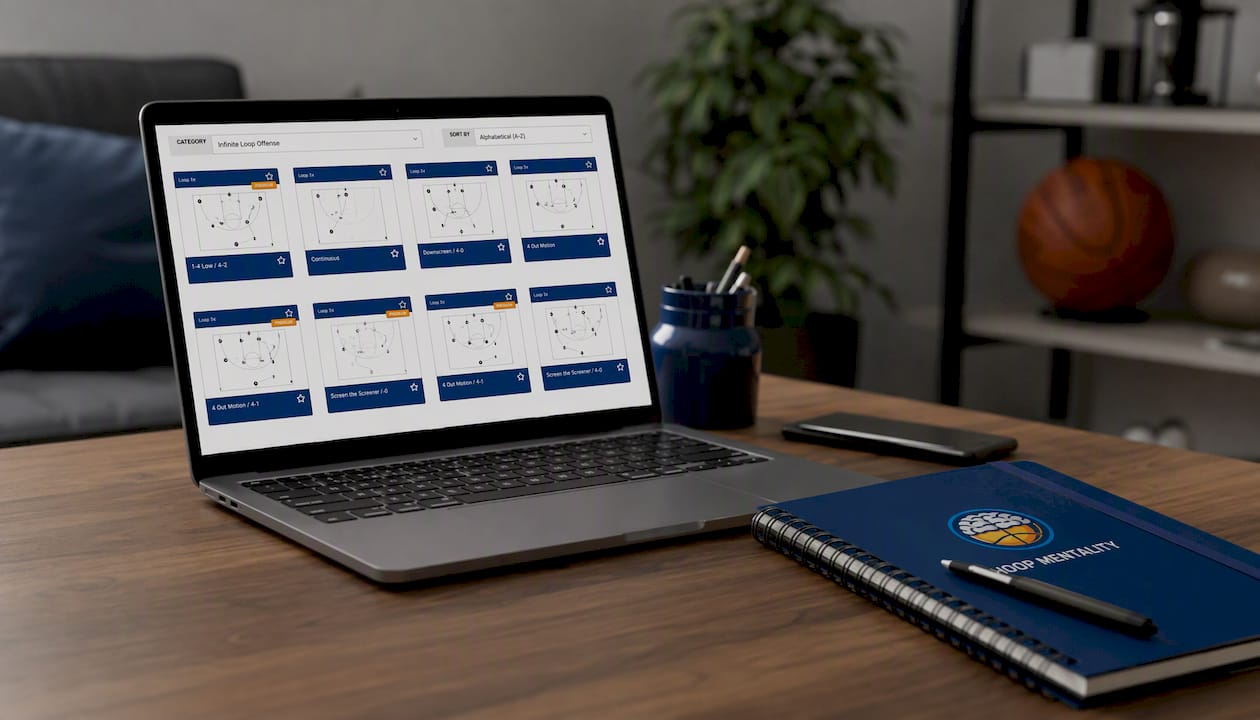
For the schematic walkthroughs, the Basketball Template Bundle For Coaches includes editable slide decks and run-sheet formats sized for any team, from a 12-player youth roster to a full college squad. If your remote skill challenges need structure, the Basketball Shooting Bundle For Coaches gives players a checkpoint system built for video submission and tracked outcomes. For measuring tactical execution accuracy, the Editable Scouting Report Template turns your film review into a repeatable checklist instead of a mental tally, and the Basketball Scouting Report Template works as a post-session evaluation sheet you can reuse every week. Preview any of these and start your next virtual session with a template instead of a blank screen.
Sources
- Design of an Immersive Basketball Tactical Training System Based on Digital Twins and Federated Learning
- A large-scale mixed reality environment for coordinated tactical training in basketball
- Trust predicts team cohesion in basketball (IARJ article)
If you want a season plan built around these methods, Hoop Mentality’s team building activities guide is a good next stop, or you can reach out through Hoopmentality directly.
FAQ
What Is Virtual Team Building for Basketball Teams?
It’s remote coaching activities, film sessions, skill challenges, and tactical walkthroughs designed to build cohesion, communication, and basketball IQ when players can’t practice together in person.
Does Virtual Training Actually Improve On-Court Performance?
Yes. One controlled study found immersive tactical training produced 35.2% higher tactical execution accuracy and 47% better team coordination compared to a control group.
How Long Should a Virtual Basketball Session Run?
Effective sessions run 30 to 60 minutes, with shorter formats focused on one film clip and a micro-challenge, and longer formats adding a full communication drill.
What Equipment Do Coaches Actually Need?
A stable internet connection, a basic camera and mic, and a video platform with screen share and breakout rooms cover nearly every activity in this article.
How Do I Measure If Sessions Are Working?
Track attendance, active participation, clip-correct decisions, time-to-decision, self-reported engagement, and micro-task completion rate on a weekly cadence.
Can Hoop Mentality Templates Help Me Start Faster?
Yes. The Basketball Starter Pack and Template Bundle give coaches ready-made run-sheets and slide decks built for the exact session formats described here.