

You can download an editable Microsoft Word basketball practice-plan template that includes session objectives, a timeline, drill fields, and a court diagram, ready to copy straight into your weekly plan. It prints cleanly, exports to PDF for player handouts, and adjusts to any level from youth leagues to varsity.
TL;DR:
- The structured template includes specific metadata, timeline segments, drill progressions, and administrative notes to streamline weekly practice planning.
- Customization involves saving a master file, using style-based timeline adjustments, inserting scaled court diagrams, and creating quick access drill tables for efficiency.
- Practice skeletons for 60- and 90-minute sessions help maintain focus on high-quality reps by sequencing drills from warm-up to conditioning and adjusting intensity based on player fatigue.
- Adjust practice duration, drills, and complexity based on age groups, with shorter and simpler sessions for youth and more detailed planning for high school and adult teams.
- Converting templates to Google Docs or Pages is straightforward, and a practice template bundle additionally offers multiple coaches’ resources for consistent season-long planning.
Table of Contents
- What Should a Basketball Practice Plan Template Include?
- How Do You Customize the Word Template for Your Team?
- Copy-and-Paste Session Skeletons: 60 and 90 Minutes
- When Should You Push Intensity vs. Teach?
- Adjusting the Template for Different Ages and Levels
- Choosing the Right File Format and Printing Your Plan
- Why Hoop Mentality Built the Template This Way
- Get the Practice Plan Template and Bundle From Hoop Mentality
- Sources
- FAQ
What Should a Basketball Practice Plan Template Include?
A practice-plan template only earns its place in your bag if it covers the fields you actually fill in every week. Word remains the preferred format for practice planning because it stays easy to edit, prints without formatting surprises, and adjusts to whatever roster size or drill list you throw at it. Before you download anything, check the file against this list.
- Header fields: date, team name, competition level, and one clear session objective so anyone glancing at the page knows the day’s focus in five seconds.
- Timeline blocks: labeled segments with recommended durations (warm-up, skill work, scrimmage) so you can see the whole session at a glance instead of scrolling through paragraphs.
- Drill table fields: drill name, objective or purpose, equipment needed, reps or sets, coaching cues, and a progression note for making the drill harder mid-season.
- Court diagram placeholder: a printable, properly scaled diagram box built into the layout, not a separate file you have to hunt for and resize yourself.
- Administrative fields: attendance tracking, injury notes, assistant coach assignments, and a short post-practice reflection space.
That last category gets skipped more than any other. A basketball practice-plan template outline that leaves out attendance and injury notes forces you to keep a second document just for logistics, which defeats the point of a single-file plan. The best templates put objectives at the top, drills in the middle, and administrative notes at the bottom, so the eye moves in the same order every single practice.
How Do You Customize the Word Template for Your Team?
Editing a Word file for basketball is fast once you know which four or five moves matter. Most coaches waste time reformatting tables from scratch every week instead of building a system they reuse all season.
- Open the template and set your metadata first. Fill in team name, date, level, and the day’s primary objective, then immediately save the file as a new session copy so you never overwrite your original.
- Adjust the timeline blocks. Use Word’s built-in heading styles (not manual bold and font-size changes) to keep every session looking identical week to week, even as the drills inside change.
- Insert and scale the court diagram. Drop it into the placeholder, lock its aspect ratio, and resize once. If you resize it fresh every week, margins drift and print jobs come out crooked.
-
Build a master template. Save your finalized layout as a
.dotxfile. Every week, open a new document from that master instead of editing last week’s file, which is how coaches accidentally delete Tuesday’s drills while planning Thursday’s. - Export and share. Convert to PDF for player-facing handouts (locks the formatting no matter what device they open it on), or drop the raw Word file into Google Drive if an assistant coach needs to edit it alongside you.
Pro Tip: Build a table of your five most-used drills as a Word “Quick Table” (Insert > Table > Quick Tables > Save Selection to Quick Table Gallery) so you can drop a full drill block into any session in two clicks instead of retyping equipment and cue fields every week.
Speed compounds over a season. A master .dotx template used with weekly session copies preserves your formatting and turns a 20-minute Sunday-night planning chore into a five-minute one by December.
Copy-and-Paste Session Skeletons: 60 and 90 Minutes
Nothing kills momentum on a Sunday night like staring at a blank timeline block. These two skeletons drop straight into the timeline section of your template, and you adjust the drill names inside each block to match your team’s needs.
60-minute skeleton (tight teams, midweek practices, shorter youth sessions):
- 0:00 to 0:10, dynamic warm-up. Purpose: raise heart rate and activate hips/ankles. No basketballs yet.
- 0:10 to 0:20, ball-handling series. Two-ball dribbling, stationary combos. Cue: eyes up, not on the ball.
- 0:20 to 0:35, shooting progression. Form shooting into game-spot catch-and-shoot reps. Cue: same release point every rep.
- 0:35 to 0:50, game-speed combos. Small-sided 3-on-3 or 2-on-2 reads. Purpose: force decisions under light defensive pressure.
- 0:50 to 0:58, short scrimmage. Live 5-on-5, coach calls out constraints (no dribbling past half court, for example).
- 0:58 to 1:00, conditioning finisher. Short sprint series tied to the scrimmage score, losing team runs extra.
90-minute skeleton (advanced teams, weekend practices, added situational detail):
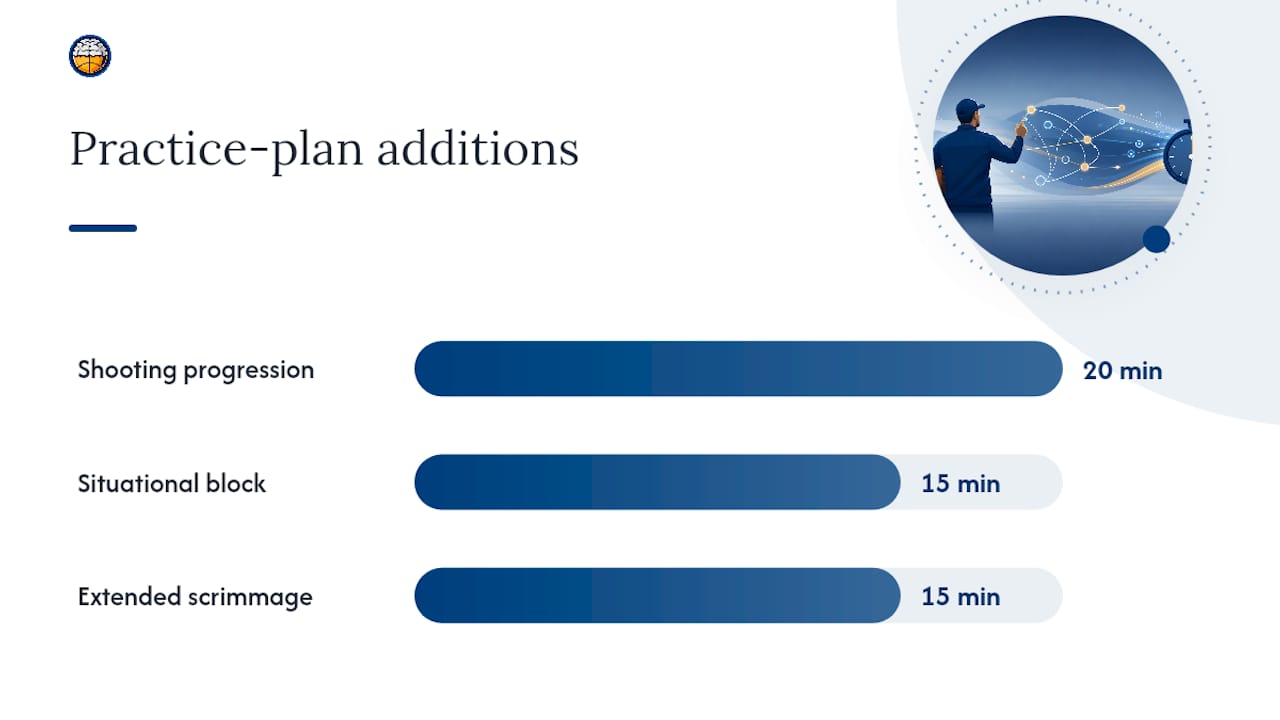
Everything from the 60-minute plan stays, but you stretch the shooting progression to 20 minutes, add a dedicated 15-minute situational block (late-clock, out-of-bounds sets, press-break reps), and extend the scrimmage to a full 15 minutes with rotating officiating so players get reps calling their own violations.
Fill in each drill field the same way every time: what the drill is for, how many reps or how much time, and one coaching cue you’ll actually repeat out loud. Coaches who skip the cue field end up repeating the same correction verbally every practice because it never made it onto paper. For age-specific versions of both skeletons, Hoop Mentality’s sample youth basketball practice plan breaks down 60- and 90-minute formats built specifically for younger rosters.
Scaling notes matter more than the skeleton itself. Shorten the ball-handling block for teams with strong fundamentals already, or stretch the warm-up for early-morning practices when players show up stiff. The skeleton is a starting frame, not a rulebook.
When Should You Push Intensity vs. Teach?
Sequencing matters as much as content. Warm-up comes first, skill work happens while legs are fresh, shooting progression follows, then game-speed combos, then scrimmage, then conditioning last. Reverse that order and you get sloppy shooting mechanics from tired legs and low-quality scrimmage reps because players spent their energy on conditioning too early.
A five-block session built at 45 to 65 minutes total keeps quality high. Coaches who structure practice into warm-up, ball handling, shooting, game-speed skills, and conditioning find that rep quality declines sharply once a session pushes past the 60-minute mark.
That single data point should reshape how you think about “more practice equals more improvement.” It doesn’t. A 90-minute session with sloppy reps in minute 75 teaches bad habits just as effectively as it teaches good ones. Alternating high-intensity competitive segments with lower-intensity teaching blocks keeps focus sharp and protects players from the fatigue that turns a shooting drill into a bad-habit rehearsal.
Two progression cues decide when to adjust difficulty mid-season. Increase difficulty (tighter defense, shorter shot clock, added ball-handling constraints) once players hit a real quality-rep threshold, meaning they execute the base version correctly at near-full speed, not just occasionally. Reduce volume, not intensity, when you notice fatigue creeping into form. Cutting reps preserves quality; cutting effort does not.
Adjusting the Template for Different Ages and Levels
A template built for a varsity team will crush a group of nine-year-olds, and a youth-scaled plan will bore a competitive high school roster. The fields stay the same. What changes is duration, complexity, and how much you write in the notes section.
- Youth (ages 7 to 10): sessions typically run less than an hour, one to two practices weekly, drills broken into short 5 to 8 minute stations to match shorter attention spans.
- Middle school (ages 11 to 13): sessions typically last around an hour to an hour and a quarter, two to three times weekly, introducing multi-step combo drills and basic situational reads.
- High school and competitive club: sessions often extend to about an hour and a half, three to five times weekly depending on season phase, full situational and scouting-informed segments.
- Adult or recreational teams: around an hour to an hour and a quarter, once or twice weekly, prioritizing conditioning and conflict-free skill maintenance over heavy teaching blocks.
For younger players, swap “two-ball dribbling combos” for single-ball, stationary versions, and replace verbal cues with physical demonstrations since younger athletes learn faster by copying than by listening. Use the notes field to track which players need extra reps on a specific skill and rotate that into next week’s plan.
Weekly volume matters as much as single-session length. Guidance on structuring a weekly training plan recommends balancing skill work, conditioning, and rest across the week, then adjusting the mix in-season versus off-season. Add a simple recovery note (soreness flags, minutes played in the last game) to the administrative section so injury patterns show up before they become injuries.
Choosing the Right File Format and Printing Your Plan
Word remains the default, but you’re not locked into it. Templates built for Word, Google Docs, and Apple Pages let you pick whatever your staff already uses, and most convert cleanly between formats with minor spacing adjustments.
- Word to PDF: use “Save As” rather than a print-to-PDF workaround. It preserves table borders and keeps your court diagram at the exact scale you set.
- Coach copy vs. player handout: print your working copy at standard margins for full detail; shrink player handouts to a single page with the administrative section removed.
-
File naming: use a consistent format like
TeamName_2026-03-14_Practice.docxso a season’s worth of plans stay searchable by date instead of buried under “Practice Plan (3) FINAL final.docx.” -
Version control: keep your
.dotxmaster separate from weekly session files, and archive completed weeks into a season folder rather than deleting them.
Marketplace templates with multiple editable fields work fine as a starting point, but the naming and archiving habits above are what actually save you time by week 12 of the season.
Why Hoop Mentality Built the Template This Way
Every field in a well-built practice-plan template exists because a coach got burned without it. Timeline blocks stop practices from running long. Drill fields with cues stop you from repeating the same verbal correction for three months straight. The court diagram placeholder exists because hunting for a separate diagram file mid-practice wastes exactly the kind of time you don’t have on a school night.
The resources come from real coaching experience, not a generic template farm. That distinction shows up in the small things: the administrative section at the bottom instead of buried mid-page, the drill table built for progressions instead of one-off drills, the court diagram already scaled for standard printer paper. Coaches who switch to a structured template consistently report less Sunday-night prep time and fewer mid-practice scrambles for assistants who don’t know what’s coming next.
— Dejan
Get the Practice Plan Template and Bundle From Hoop Mentality
The Basketball Practice Plan Template offers an editable Word file with the header fields, timeline blocks, drill table, and court diagram already built in, plus 60- and 90-minute sample skeletons you can copy without starting from a blank page.
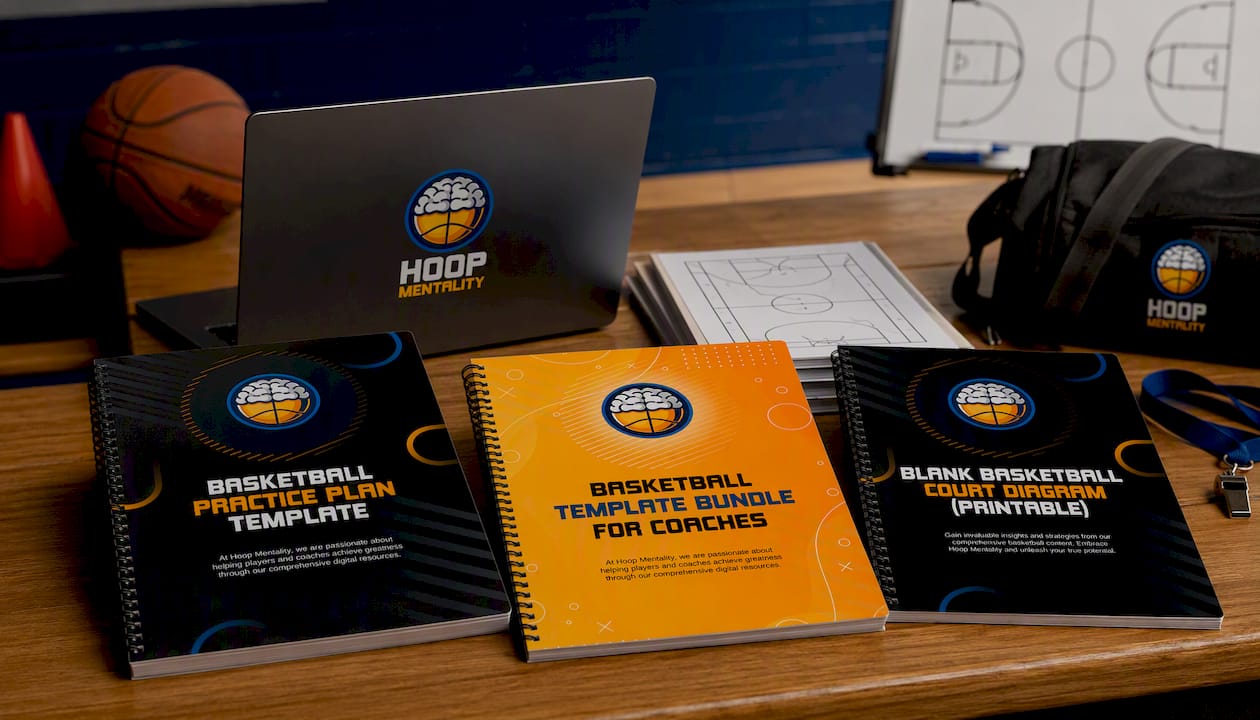
If you want more than one document, the Basketball Template Bundle For Coaches packages the practice plan alongside additional coaching templates for a consistent formatting experience. For play-drawing specifically, the printable blank basketball court diagram drops straight into your practice plan or scouting notes without needing a separate design tool. A free single-file download gets you a blank grid. What you get here is a document built around coaching structure: sample skeletons already sequenced by intensity, drill fields that force you to write the cue instead of skipping it, and a court diagram scaled correctly the first time. Browse the full basketball templates collection, or pair your practice plan with basketball drills and basketball playbooks for full-season prep. View the product page to preview the layout before you buy.
Sources
The practice-plan guidance above draws on Template.net’s Word-format basketball plans for file-format practicality, 143 Basketball Haven’s practice guide for the five-block session structure and the point at which rep quality declines sharply, and Level Up Basketball’s weekly training plan guide for weekly volume adjustments. Grade-specific options, like Template.net’s 1st-grade practice plan, work well for coaches who want an age-locked starting point rather than a template they scale down themselves. Marketplace templates suit a quick, generic download; coach-authored templates suit anyone who wants sequencing and cues built in from the start.
FAQ
Is there a free basketball practice plan template in Word?
Free single-file downloads exist across template marketplaces, but they typically lack the drill-progression fields, coaching cues, and scaled court diagrams that a coach-authored template includes.
What sections does a basketball practice agenda need?
At minimum: header fields (date, team, level, objective), timeline blocks, a drill table with cues and equipment, a court diagram, and an administrative section for attendance and notes.
How long should a youth basketball practice run?
Youth sessions (ages 7 to 10) run best at 45 to 60 minutes; older youth and middle schoolers can handle 60 to 75 minutes without a drop in rep quality.
Can I convert the Word template to Google Docs or Pages?
Yes. Most Word practice-plan templates convert cleanly to Google Docs or Apple Pages with minor spacing adjustments, particularly around table borders and the court diagram placeholder.
Does Hoop Mentality sell a bundle with more than one template?
Yes, the Basketball Template Bundle For Coaches includes multiple editable templates beyond the single practice-plan file, and current pricing is listed on the product page.
Why do quality reps drop off after 60 minutes of practice?
Fatigue affects shooting mechanics and decision speed before it affects effort, so players keep working hard while their technique quietly degrades past the 60-minute mark.